
Why Do Your Lights Flicker When Appliances Turn On?
This article is general safety information for California homeowners. It is not code, engineering, or insurance advice. Always confirm requirements with your local building department, utility, and a licensed electrician.
Lights flicker when appliances start because large motors and heating elements draw a surge of current that briefly drops voltage on shared circuits. Refrigerators, AC compressors, microwaves, and space heaters are the most common culprits. A quick flicker lasting under one second is usually normal. But if lights dim for several seconds, flicker constantly, or affect multiple rooms, you may have an overloaded circuit, loose connection, or undersized electrical service. Homes in Santa Clara County built before 1980 with 100‑amp panels are especially prone to this.
A Morgan Hill homeowner called us last month because her kitchen lights dimmed every time the refrigerator cycled on. She'd lived with it for two years and figured, "It's just an old‑house thing."
It wasn't.
Her kitchen lights and refrigerator were sharing a single 15‑amp circuit – along with the microwave, toaster, and a countertop mixer. The circuit wasn't overloading enough to trip the breaker, but every time that compressor motor kicked in, it pulled enough current to starve the lights for a split second.
The fix wasn't a panel upgrade. It was a dedicated 20‑amp circuit for the refrigerator. Two hours of work. Problem gone.
Here's how to figure out what's causing your flickering – and whether it's something to worry about.
If You're Noticing Flickering, Check These First
All external – don't open panels or boxes yourself:
- Note which lights flicker. Only in the same room as the appliance, or in other rooms too?
- Watch the timing. A quick dip right when the appliance starts vs. lights dimming for several seconds.
- Try different appliances. Does the vacuum, microwave, or space heater cause it too, or just the AC or fridge?
- Check your bulbs. LEDs are more sensitive to voltage dips than old incandescents. Sometimes the "problem" is mismatched dimmer + LED, not the wiring.
- Feel the switch and outlet covers. They should never be warm or hot.
- Listen. Buzzing or crackling near outlets, switches, or the panel is a "call now" sign.
If you only see a tiny, momentary flicker when one big appliance starts and everything else feels solid, it's probably minor. If it's getting worse, affecting multiple rooms, or showing up with other symptoms, keep reading.
Why This Happens
Not all flickering means something is wrong. Some of it is just physics. Some of it is a warning.
Large Motor Startup – Often Normal
When a refrigerator compressor, AC unit, or well pump starts, the motor draws 2–3× its normal running current for a fraction of a second. That surge causes a brief voltage dip on the line, and your lights react.
If:
- The flicker is less than a second
- It only happens when that specific appliance kicks on
- It's not getting worse over time
…that's usually normal behavior. We see this in Saratoga and Monte Sereno homes all the time – especially on older circuits.
Lights and Appliances Sharing the Same Circuit
This is the most common fixable problem.
In older homes, builders ran a couple of general circuits through the kitchen or living area. Everything on that circuit shares the same 15A or 20A. When a microwave (~1,200W) fires up on a 15A circuit that's also feeding kitchen lights, it pulls most of the available power and the lights flicker.
This is a circuit design / load issue, not a whole‑panel problem.
The fix: add a dedicated circuit for the big appliance, not upgrade the entire panel.
Undersized Electrical Service
If your whole house dims when the AC or heat pump starts, your main service might be undersized.
Examples we see in Mountain View and Milpitas homes built in the 1960s–70s:
- 100A panel
- Central AC or heat pump (30–50A)
- Electric dryer (30A)
- Electric range (40–50A)
The service is just barely keeping up. When everything hits at once, voltage sags across the board.
In those cases, we look at both:
- Circuit design, and
- Whether it's time to move from 100A/125A to 200A.
Loose Connections at the Panel or Meter
Loose terminations create resistance; resistance creates heat and voltage fluctuations.
Signs it might be at the panel or meter:
- Flickering affects multiple rooms or the whole house
- It feels random, not just tied to one appliance
- Breakers or the panel face feel warm
Loose lugs at the breaker, bus bar, or meter base are a fire risk and need attention now.
Weak Utility Connection
Sometimes the problem isn't in your house.
Loose connections at the pole or transformer, corroded overhead lines, or an overloaded transformer can cause neighborhood‑wide flickering.
If your neighbors in Almaden Valley or Gilroy are also seeing lights dip when nothing major is happening inside, that's when you call PG&E. We handle everything from the meter inward; they handle everything from the meter outward.
Bad Dimmer Switch or LED Incompatibility
Not every LED plays nicely with every dimmer.
Older dimmers were designed for incandescent loads. Pair them with LEDs and you get:
- Flickering
- Buzzing
- Short lamp life
That's a device compatibility issue, not a wiring failure. Often solved by swapping to a modern dimmer rated for LEDs (Lutron Caseta, newer Leviton, etc.) and/or better bulbs.
Stop and Call an Electrician If…
Some flickering is just annoying. Some is dangerous. Call a pro if:
- Lights flicker constantly, not just on appliance startup.
- Flickering is getting worse over time.
- Lights dim for more than 1–2 seconds at a time.
- You smell burning or hot plastic near any outlet, switch, or the panel.
- Breakers trip around the same time as flickering.
- Light switches or outlets feel warm or hot.
- Flickering or dimming hits your whole house at once.
- You hear buzzing or crackling from walls, outlets, switches, or the panel.
- Lights visibly brighten and dim, not just a quick flicker.
That last one – noticeable brightening – can indicate a loose neutral. That's an emergency. Overvoltage can fry electronics and damage appliances.
Typical Cost to Fix Flickering Lights in the Bay Area (2026)
It's all about the cause. Rough ranges we see:
Quick Fixes – $150–$500
- Replace an incompatible dimmer
- Swap problematic LED bulbs for compatible ones
- Tighten and clean up accessible connections at devices and, where appropriate, at the panel (with power safely off)
Usually a single visit if the issue is clearly tied to one device or dimmer.
Dedicated Circuit Work – $800–$2,500
- Add a dedicated 20A circuit for a refrigerator or microwave
- Separate lighting from high‑draw appliances
- Repair/replace loose or overloaded junctions on a specific run
This is the most common fix in older Santa Clara, Milpitas, and Morgan Hill kitchens where half the room is on one circuit.
Service Upgrade – $4,500–$9,000
If:
- Your whole house dims under load, and
- You have a 100A or 125A panel that's clearly at its limit
…the long‑term answer is usually a 200A upgrade.
That typically includes:
- New 200A combination service entrance panel (meter‑main combo)
- New main breaker and branch breakers
- Grounding/bonding
- Permits and inspections
- PG&E coordination
Add $650–$1,900 for permits depending on your city (Palo Alto is the high end; most other Santa Clara County cities sit between $650–$950).
What drives price:
- Whether it's a single circuit fix or a service‑level issue
- Access (attic vs. crawlspace vs. cutting open finished walls)
- Panel age, brand, and condition
- City‑specific permit and inspection requirements
An in‑person diagnosis is the only honest way to nail down cost.
Do You Need a Permit?
Depends on the fix.
In Santa Clara County:
Typically no permit needed for:
- Swapping bulbs
- Replacing a dimmer like‑for‑like
- Simple device‑level work that doesn't change circuits
Permit usually required for:
- Adding new circuits
- Changing breaker sizes or types
- Any work inside the panel beyond like‑for‑like swaps
- Running new wires in walls/ceilings
- Service upgrades (100A/125A → 200A)
Permit timelines:
- Commonly 1–6 weeks for review/issuance, depending on city.
- Your electrician should handle the entire permit process and inspections.
How Electricians Diagnose and Fix Flickering
Here's what we actually do on a call like this:
Voltage Testing
We measure voltage:
- At outlets and lights in the affected area
- At the panel
- While the "problem" appliance starts and runs
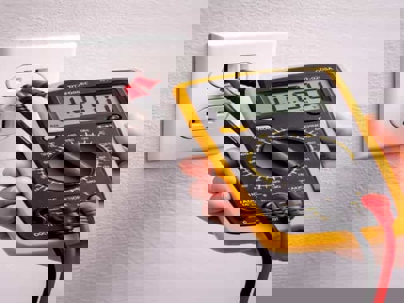
A small, momentary 3–5% drop during motor startup is normal. Larger or longer dips mean something's wrong.
Circuit Load Analysis
We figure out:
- Which loads are on each circuit
- Whether any circuits are obviously overloaded
- How the home was actually wired (in plenty of older Bay Area houses, the layout makes zero sense)
We often find circuits like: kitchen lights + fridge + microwave + half a dining room. That's where we start.
Dedicated Circuits for High‑Draw Appliances
We add or reroute circuits so that:
- Microwaves
- Refrigerators
- Garbage disposals
- Space heaters (where feasible)
…have appropriate 20A circuits that don't share with lights.
Most 1‑circuit kitchen flicker issues are solved here.
Panel Connection Inspection
We:
- Inspect breakers for heat discoloration or looseness
- Check conductor terminations at breakers and the neutral/ground bus
- Address any obvious wear or corrosion
Tightening and cleaning up connections or swapping a failing breaker can solve whole‑house flicker in more homes than you'd think.
Service Entrance and Meter Inspection
If voltage drop appears at or before the main:
- We inspect the service entrance and meter base on the customer side
- If it looks like a utility‑side issue, we coordinate with PG&E to address their connections
You don't want to ignore a compromised service entrance; that's the spine of your system.
Dimmer and LED Compatibility Check
We:
- Identify which dimmers control which fixtures
- Confirm whether they're LED‑rated and properly matched to your bulbs
If not, we swap in dimmers designed for LEDs and/or better quality bulbs. That's usually a quick 15–30 minute per‑switch fix.
Service Upgrade (If Needed)
If testing and load calculations show your 100A or 125A panel simply can't support your home's real‑world load:
- We recommend a 200A upgrade
- Coordinate permits and PG&E (2–12 weeks for scheduling)
- Perform the swap in a single 6–8 hour outage
- Get rough and final inspections done (final after any stucco/siding repair, 1–3 weeks later)
Short Safety Disclaimer
This post is for general education only. Electrical systems can injure or kill you if you don't know what you're doing. Don't open your panel, pull breakers, or touch exposed wiring. Swapping light bulbs and simple dimmers is one thing; diagnosis and wiring repairs belong to a licensed electrician.
FAQs
Is it normal for lights to flicker when the AC starts? A brief dip under a second when the compressor kicks on is usually normal. If:
- It lasts several seconds
- It happens every cycle
- It dims the whole house
…then we need to look at service capacity and connections.
Why do LED bulbs flicker more than old incandescents? Incandescents have a hot filament that masks small voltage swings – it doesn't cool instantly when voltage dips. LEDs respond instantly; they show you every little fluctuation. So LEDs often reveal wiring/circuit issues that were always there.
Can flickering lights damage my electronics? Severe or frequent voltage swings can stress sensitive electronics over time – TVs, computers, medical equipment. If you're seeing regular, noticeable flickering or brightening/dimming, it's worth fixing before you cook something expensive.
Will a whole‑house surge protector stop flickering? No. Surge protection guards against spikes (lightning, grid surges), not ongoing voltage dips from internal wiring problems, loose connections, or undersized service.
Why do only some rooms flicker? Because those rooms share a circuit with the appliance causing the surge. Rooms on different circuits may never see it. That pattern actually helps us pinpoint which circuit is overloaded.
Can I fix flickering myself? You can:
- Swap bulbs
- Replace a dimmer with a compatible LED dimmer
You should not:
- Open your panel
- Work on live circuits
- Try to "tighten" anything inside without training
Let an electrician handle anything beyond surface‑level device swaps.
How do I know if it's my wiring or PG&E's problem? Ask your neighbors:
- If they're seeing similar flickering → likely a utility‑side issue; call PG&E.
- If it's just your home → likely on your side; call an electrician.
We work from the meter inward; PG&E handles from the meter outward.
Do I need a panel upgrade or just a new circuit? Rules of thumb:
- One area flickers when a specific appliance starts → probably a circuit issue (new or reworked circuit).
- Whole house dims under load on a 100A/125A panel → likely a service issue; load calc will confirm.
We start at the circuit, then move up to the panel if needed.
Can flickering lights start a fire? The light pattern itself doesn't cause fires, but:
- Loose connections
- Overloaded circuits
- Deteriorated wiring
…behind the flicker absolutely can. If flickering comes with heat, smell, or noise, treat it as urgent.
Is this common in older Bay Area homes? Very. Homes built before 1980 in Santa Clara County (especially parts of Mountain View, Milpitas, and South County) were wired for a fraction of today's load. Shared circuits, undersized panels, and aging terminations are normal finds. The good news: most of it is fixable without tearing your house apart.
Why Homeowners in Santa Clara County Call Watson's
- We diagnose the root cause, not just the surface symptom.
- Deep experience with older Bay Area homes and undersized services in places like Almaden Valley, Milpitas, Saratoga, Santa Clara, and Gilroy.
- Clean, code‑compliant circuit installations with minimal wall damage.
- Straightforward recommendations – we don't sell service upgrades when a single circuit or connection fix will solve it.
- All work permitted and inspected where required.
- Licensed (C‑10), insured, and up to date on California electrical code.
- Gilroy‑based and serving all of Santa Clara County since 2015.
Tired of Flickering Lights?
If your lights flicker constantly – or you're not sure if what you're seeing is normal – Watson's offers a $179 Home Electrical Safety & Capacity Check. We'll test voltage, analyze circuit loads, inspect critical connections, and give you a clear explanation of what's causing the problem and how to fix it.
Call or text Watson's Charging Stations & Electric at (408) 642‑6547 to schedule your diagnosis. We serve Santa Clara County.