

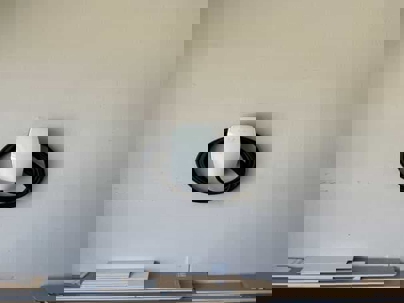
Tesla Wall Connector vs ChargePoint vs Emporia — Which Should You Buy?
For most Santa Clara County homeowners, the Tesla Universal Wall Connector (around $600) is the best all‑around choice – it handles both NACS and J1772 vehicles with a built‑in adapter, offers excellent build quality, and supports power‑sharing for multiple EVs. ChargePoint Home Flex (around $584) is the most reliable J1772‑only option with the best app. Emporia Pro (around $599) is ideal if your 100A or 125A panel can't safely handle a full 48A charger – its PowerSmart load management can sometimes help you avoid a $4,500–$9,000 panel upgrade on safe, modern panels. Emporia Classic (around $429) is the budget pick but you must choose J1772 or NACS at purchase. All require hardwired installation on a dedicated 60A circuit, permits in Santa Clara County, and enough panel capacity. Your electrical panel matters more than the charger brand.
Most electricians won't tell you this: the charger brand matters less than whether your panel can actually feed it and whether it's installed correctly.
I've installed hundreds of EV chargers across Santa Clara County – Tesla Wall Connectors and Universal Wall Connectors, ChargePoint Home Flex units, and both Emporia models – in San Jose, Campbell, Los Gatos, Sunnyvale, Palo Alto, Cupertino, Mountain View, Morgan Hill, Saratoga, and Willow Glen. Homeowners spend weeks comparing specs… then we open the panel and discover their 100A service can't safely run any 48A charger without changes.
Here's what actually matters when choosing between these options.
Quick Recommendation
- Most households (Tesla or not):
→ Tesla Universal Wall Connector (~$600) – handles NACS + J1772 with a built‑in adapter, best future‑proofing, supports power‑sharing. - Tesla‑only and staying that way:
→ Tesla Wall Connector (~$450) – same quality/features minus J1772, save ~$150. - Non‑Tesla only, want maximum reliability:
→ ChargePoint Home Flex (~$584) – most reliable in my installs, best app, J1772 only. - Tight panel capacity (100A or 125A service):
→ Emporia Pro (~$599) – PowerSmart load management can sometimes avoid a $4,500–$9,000 panel upgrade (on safe, modern panels). - Budget‑conscious with adequate panel:
→ Emporia Classic (~$429) – cheapest, good features, but you choose J1772 or NACS and you're locked in.
Big asterisk: None of this matters if your panel can't support a 48A continuous load. Proper installation, wire sizing, panel condition, and capacity trump brand choice every time.
Feature Comparison
| Feature | Tesla Wall Connector | Tesla Universal | ChargePoint Home Flex | Emporia Classic | Emporia Pro |
|---|---|---|---|---|---|
| Price | ~$450 | ~$600 | ~$584 | ~$429 | ~$599 (incl. Vue 3) |
| Max Output | 48A (60A circuit) | 48A (60A circuit) | 50A (60A circuit) | 48A (60A circuit) | 48A (60A circuit) |
| Cable Length | 24 ft | 24 ft | ~23 ft | 25 ft | 25 ft |
| Indoor/Outdoor | Yes (NEMA 3R) | Yes (NEMA 3R) | Yes (NEMA 4) | Yes (NEMA 4) | Yes (NEMA 4) |
| Wi‑Fi | Yes | Yes | Yes | Yes | Yes |
| App Control | Tesla app | Tesla app | ChargePoint app | Emporia app | Emporia app |
| Works With | NACS only | NACS + J1772 | J1772 only | J1772 or NACS* | J1772 or NACS* |
| Power Sharing | Yes (up to 6) | Yes (up to 6) | No | Yes (load sharing) | Yes (load sharing) |
| Load Management | Static/Dynamic opts | Static/Dynamic | No | Upgrade via Vue | PowerSmart included |
| Energy Monitoring | Basic | Basic | Good | Good | Excellent (with Vue 3) |
| Warranty | 4 years | 4 years | 3 years | 3 years | 3 years |
*Emporia: you choose J1772 or NACS cable at purchase – not switchable like Tesla Universal.
Tesla Universal Wall Connector: Best All‑Around Choice
Use this if:
- You have (or may have) both NACS and J1772 vehicles
- You want one charger that "just works" for any guest's EV
- You care about power‑sharing across multiple Teslas / EVs
Avoid this if:
- You're 100% sure you'll stay Tesla‑only and want to save ~$150
- You absolutely don't care about J1772 compatibility
Price: ~$600
Max Output: 48A continuous (~11.5 kW) on a 60A circuit
What I Like
The built‑in "Magic Dock" J1772 adapter solves the connector mess. Push the button, pull out J1772. Snap back, you're on NACS. No separate dongles to lose.
This is the first charger that truly fits a mixed fleet: older J1772 cars and newer NACS. In a Palo Alto or Mountain View driveway with a Bolt today and a Model Y tomorrow, this is the cleanest solution.
Build quality is excellent. We've installed these in hot Gilroy and Morgan Hill garages that hit 110°F and they keep running.
Tesla's Power Management is strong:
- Static limits (cap current at 32A, 40A, etc.)
- Group Power Management (share power across up to 6 Wall Connectors)
- Optional Dynamic Power Management with a Tesla meter (similar to Emporia's PowerSmart concept).
What I Don't Like
You pay ~$150 more than the NACS‑only Wall Connector. If you're a lifetime Tesla household, that's a feature you'll never use.
The integrated adapter is permanent. It's harder to "lose," but if it ever gets damaged, you're into repair/replacement, not a $50 swap.
Energy monitoring is still "good enough," not "energy nerd dream."
Installation Notes
- Hardwired on a dedicated 60A circuit (48A continuous).
- Permits required in Santa Clara County (~$700–$900 in most cities; ~$1,900 in Palo Alto).
- Typical installed cost (charger + circuit): $1,950–$2,950, depending on distance and panel work.
Tesla Wall Connector (NACS Only): Budget Tesla Option
Use this if:
- You're Tesla‑only and plan to stay that way
- You want power‑sharing, build quality, and don't care about J1772
Avoid this if:
- You might add a non‑Tesla EV later
- You regularly host friends/family with J1772 cars
Price: ~$450
Max Output: 48A continuous
Same hardware and power‑sharing features as Universal, minus the built‑in J1772 adapter.
What I Like
You get the same physical quality, NEMA 3R rating, Tesla app tie‑in, and power‑sharing features as the Universal for ~$150 less.
For a Tesla‑only household in San Jose, Campbell, or Sunnyvale, that's just smart.
What I Don't Like
You're all‑in on NACS. Most new EVs are moving there, but millions of older J1772 cars will be around for years. If your second car is non‑Tesla, you're back to adapters or another charger.
Installation Notes
- Identical to Universal: 60A hardwired, permits required.
- Installed cost including charger: typically $1,800–$2,800.
ChargePoint Home Flex: Most Reliable J1772 Option
Use this if:
- You drive non‑Teslas on J1772 (Rivian, Ford, Hyundai, etc.)
- You care about reliability and app quality more than NACS future‑proofing
Avoid this if:
- You want NACS built‑in with no adapters
- You plan for multiple chargers needing power‑sharing
Price: ~$584
Max Output: 50A continuous (~12 kW)
What I Like
In my experience, it's the most reliable J1772 charger we install. 80–100 units across San Jose, Campbell, and Los Gatos with <2% failure is about as good as it gets in this category.
The app is excellent:
- Time‑of‑use‑based schedules
- Clear energy and cost tracking
- Robust notifications if charging stops or fails
J1772 means it works with any non‑Tesla out of the box; Teslas use the standard adapter.
NEMA 4 rating gives a bit more weather robustness for exposed outdoor installs than Tesla's NEMA 3R.
What I Don't Like
J1772‑only makes it less future‑proof as the market shifts harder to NACS.
No built‑in power‑sharing, so multiple EVs usually mean multiple circuits or a panel upgrade.
Requires a ChargePoint account – not a big deal, but it's another app in the stack.
Installation Notes
- 60A hardwired circuit, 50A continuous load.
- Permits required. Total installed cost including charger: typically $1,950–$3,050.
- Most common in higher‑end non‑Tesla homes (Rivian, Lucid, BMW, etc.) in Campbell, Los Gatos, Saratoga.
Emporia Pro: Best for Tight Panel Capacity
Use this if:
- You have a safe, modern 100A/125A panel that's near capacity
- Panel upgrade is expensive and you want to avoid it for now
- You want very detailed energy monitoring and solar integration
Avoid this if:
- You have a known‑problem panel (FPE, Zinsco, certain Sylvania/Challenger)
- You refuse any extra complexity or potential reliability tradeoff
Price: ~$599 (includes Vue 3 Energy Monitor)
Max Output: 48A continuous
What I Like
PowerSmart load management is the big win. The included Vue 3 monitor in your panel watches real‑time usage and automatically throttles or boosts the charger to keep the home under a limit.
Translation: If your 100A panel is close to the edge, it slows charging when AC + dryer + oven are running and speeds up when they're not.
For older 100A/125A homes in San Jose, Willow Glen, and Campbell, this can mean a $2–3K charger job instead of a $6–10K panel + charger project.
Solar integration is strong. It can prioritize using excess solar instead of pulling from PG&E.
Intelligent load sharing lets multiple Emporia chargers share power without overloading a single circuit or subpanel.
Energy monitoring is the most detailed of the bunch.
Important caveat:
We only like this on safe, modern panels. If your panel is Federal Pacific, Zinsco, or a badly overcrowded relic, we're not slapping smart load management on top of bad hardware. In those cases, we talk panel replacement first. If we find an unsafe panel during inspection, we'll recommend replacement first – load management is not a substitute for a safe electrical system.
What I Don't Like
You choose J1772 or NACS at purchase – you don't get both in one unit like Tesla Universal.
Reliability is weaker than Tesla or ChargePoint. In our installs across San Jose, Morgan Hill, and Santa Clara, we've seen maybe 10–12% of Emporia units (Classic + Pro) have issues in the first couple years, vs ~2% for ChargePoint.
Vue 3 installation adds complexity inside the panel, especially in crowded older setups.
Installation Notes
- 60A circuit, 48A continuous.
- Vue 3 monitor installs in the panel alongside the new circuit.
- Permits required (~$700–$900 most cities).
- Typical installed cost (charger + Vue + circuit): $2,000–$3,000.
- Common for older Willow Glen, Campbell, and San Jose homes where the panel is tight but still safe and up to code.
Emporia Classic: Budget Smart Charger
Use this if:
- Your panel has adequate headroom
- You want smart charging and data at the lowest price
Avoid this if:
- Panel capacity is already tight (Pro is better there)
- You're indecisive about J1772 vs NACS – you must pick one
Price: ~$429
Max Output: 48A continuous
What I Like
Cheapest way to get a full‑power 48A smart charger with Wi‑Fi, scheduling, and energy tracking.
Intelligent load sharing across multiple Emporia chargers is still available.
You can add a Vue monitor later if you decide you want deeper monitoring or basic load management; just know that together, Classic + Vue gets close in total cost/complexity to Pro out of the gate.
What I Don't Like
Same elevated failure rate trend as Pro compared to Tesla/ChargePoint.
You pick either J1772 or NACS and are locked in. If your connector needs change, you're into adapters or another purchase.
Without Vue, energy data is good but not at Pro level.
Installation Notes
- 60A hardwired circuit, 48A continuous.
- Permits required. Typical installed cost including charger: $1,800–$2,800.
- Good fit as a secondary charger or for people with good workplace/public charging who won't be dead in the water if it needs warranty work.
Installation Costs (All Chargers)
Beyond the hardware, installation in Santa Clara County typically runs $1,350–$2,350 depending on distance and complexity.
What's Included:
Dedicated circuit:
60A 240V circuit with 6 AWG copper in conduit from panel to charger location.
Circuit installation costs:
- Short runs (panel and charger both at garage): $495–$1,200
- Medium runs (charger mounted away from panel location): $1,000–$1,500
- Long runs (extended distance or complex routing): $1,500+
Materials:
60A 2‑pole breaker, conduit, fittings, boxes, mounting hardware.
Permits:
- Most cities (San Jose, Campbell, Los Gatos, Sunnyvale, Morgan Hill, Cupertino, Santa Clara): $700–$900
- Palo Alto: about $1,900
Inspections:
Day‑of or next‑day inspection and final sign‑off.
What's NOT Included:
Panel upgrades:
If your 100A or 125A panel doesn't have enough capacity or is unsafe/obsolete, a 200A upgrade is typically $4,500–$9,000. We see this needed in roughly 40% of older homes in San Jose, Willow Glen, and Campbell.
Trenching:
Underground runs to freestanding posts or far‑away spots start around $3,500.
Extra load management hardware:
- Tesla Dynamic Power Management meters are extra.
- Vue for Classic is extra; Pro includes Vue 3.
Which Charger Should You Actually Choose?
Here's the decision path I'd walk you through in person:
1. Do you have a 100A or 125A panel that's near capacity (and in good condition)?
Yes: Start with Emporia Pro (~$599) as an option. PowerSmart may let you avoid or delay a $4,500–$9,000 panel upgrade on a safe, modern panel. We'll confirm with a load calculation.
No / 200A with headroom: Move to connector and brand.
2. Do you own (or might own) both NACS and J1772 vehicles?
Yes: Tesla Universal (~$600) – the built‑in adapter is worth it for future‑proofing and ease.
No: Keep going.
3. Are you Tesla‑only and likely to stay that way?
Yes: Tesla Wall Connector (~$450) – save $150 vs Universal, get the same hardware minus J1772.
No: Keep going.
4. Do you want the most reliable J1772 charger with the best app?
Yes: ChargePoint Home Flex (~$584) – pay a bit more for reliability and UX.
No / budget‑sensitive and panel has capacity: Emporia Classic (~$429) – cheapest workable choice if you accept more failure risk and pick the right connector.
What About Panel Capacity? (This Matters More Than Brand)
A 48A charger is a big continuous load. For a lot of 1960s–70s homes in Willow Glen, Campbell, and Los Gatos, that's like adding another small house.
Homes That Often Need Upgrades:
- 100A panels: Almost always tight, especially if you have central AC, electric dryer, or plan on a heat pump / HPWH.
- 125A panels: Frequently tight once EVs and other electric loads are in the mix.
- 200A panels: Usually OK for one 48A charger, but we still run the numbers if you're also doing heat pump HVAC, HPWH, and a full electric kitchen.
How We Decide:
We run a load calculation:
- General lighting & receptacles (by sq ft)
- Small appliance circuits (kitchen, laundry)
- Major appliances (range, dryer, water heater, HVAC)
- Continuous loads (pool/spa pumps, etc.)
- Proposed EV charger (48–50A continuous)
If the result is more than about 80% of panel rating:
- Option A: Use a smaller charger (32A/40A).
- Option B: Use smart load management (Emporia Pro, Tesla Dynamic) on a safe panel.
- Option C: Upgrade the panel.
In a lot of 1960s–70s homes across Campbell, Los Gatos, and Willow Glen, EV charging pushes panels over that threshold about half the time.
Do You Need a Permit for EV Charger Installation?
Yes. Every city in Santa Clara County requires permits for permanent EV charger installs.
Permit/Application:
We submit:
- Charger model and location
- Circuit route from panel to charger
- Wire and breaker size (often 6 AWG copper on 60A)
- Panel location, rating, and load calculation
Plan Review Times:
- San Jose, Campbell: ~3–5 business days
- Los Gatos, Sunnyvale, Santa Clara, Mountain View: ~5–10 business days
- Palo Alto: ~10–15 business days
Inspection:
Inspector checks:
- Correct conductor and breaker sizing
- Proper terminations and torque
- Mounting and weatherproofing
- GFCI protection (breaker or device, per AHJ)
- Grounding, bonding, and clearances
- That the load calc supports the added circuit
Total permitting timeline is typically 1–2 weeks once submitted, depending on city workload.
Hardwired vs Plug‑In (NEMA 14‑50)
We strongly recommend hardwired installs.
Why Hardwired Wins:
- More reliable: Fewer connection points to loosen or overheat.
- Less heat: High continuous currents through receptacles wear them out; we've replaced a lot of melted NEMA 14‑50s in San Jose and Morgan Hill.
- Cleaner install: One fixed unit on the wall, no big plug/outlet combo.
- Regulatory trend: California still allows NEMA 14‑50, but more AHJs prefer or are moving toward hardwired for permanent EVSE.
When Plug‑In Makes Sense:
- You rent and want to take the charger with you.
- You're intentionally doing something temporary.
- You truly need portability across locations (rare).
For most Santa Clara County homeowners, hardwired is the smarter long‑term play. Cost is essentially the same upfront and reliability is higher.
FAQs
Can I install the charger myself?
Realistically, no. You'll need a permit, inspected work, and correct wire/breaker sizing. Some cities allow owner‑builder permits, but unless you're very comfortable with electrical work and code, it's not worth the risk. Insurance and resale both expect licensed, permitted installs.
Which charger is fastest?
All four are roughly the same at the top end:
- 48–50A continuous (about 11.5–12 kW).
Your car's onboard charger is the real bottleneck:
- Tesla 3/Y: up to 48A
- Many non‑Teslas: 40–48A
- A few trucks/SUVs (e.g., some F‑150 Lightning setups) can accept 80A, but those require 100A circuits and very beefy panels.
Do these work during power outages?
No grid, no Level 2 charging. If you have a whole‑home battery system wired to support EV charging, that's a specialized design. Most setups don't do that by default.
How long does it take to charge?
At 48A (~11.5 kW), you're adding around 40–45 miles of range per hour in many EVs. But you rarely charge from dead empty; most people only need a few hours overnight to top off.
What if I have two EVs?
Options:
- Two separate chargers on separate circuits (requires enough panel/service).
- Multiple Tesla Wall Connectors with power‑sharing.
- Multiple Emporia units with Intelligent Load Sharing.
- One charger and an alternating schedule.
- Smart panel (SPAN, etc.) that manages loads.
Most two‑EV households in Los Altos, Palo Alto, and Saratoga end up at 200A or 400A with two dedicated circuits.
Can I use a slower charger and keep my 100A panel?
Often, yes. Dropping to a 32A or 40A charger:
- 32A (40A circuit): ~25–30 miles/hour
- 40A (50A circuit): ~30–35 miles/hour
For a lot of people, that's still plenty. We'll run a load calc to see what your panel can handle.
Does charging add much to my PG&E bill?
Depends on miles driven and when you charge:
12,000 miles/year:
- At ~$0.32/kWh (peak): ~$110/month
- At ~$0.16/kWh (off‑peak): ~$55/month
20,000 miles/year: about 1.6× those numbers.
Time‑of‑use overnight charging in San Jose or Sunnyvale can effectively cut your charging costs in half.
Are these chargers covered by rebates?
Sometimes. Programs change constantly. Check:
- State EV incentive sites
- PG&E EV programs
- Your city's sustainability / climate pages
We'll point you to where to check, but we don't build quotes assuming rebates.
What's the deal with Tesla's power management options?
- Static Power Management: Cap max current (e.g., 32A instead of 48A).
- Dynamic Power Management: With a separate Tesla meter, it watches whole‑home use and auto‑adjusts charging.
- Group Power Management: Power‑sharing among up to 6 Wall Connectors on shared or separate circuits.
How does Emporia's load management compare to Tesla's?
Emporia Pro (PowerSmart): Vue 3 monitor included; continuously adjusts based on real‑time panel load – excellent for tight 100A/125A systems.
Tesla Dynamic PM: Same concept but requires extra hardware purchase.
Emporia Intelligent Load Sharing: Multiple Emporia chargers share power; Tesla does similar with Group Power Management.
Why Homeowners in Santa Clara County Call Watson's
- We install all these brands – no hidden kickback toward one manufacturer.
- We run real load calculations before quoting, so you know if a panel upgrade is actually necessary.
- We hardwire chargers properly with correct wire sizing, grounding, and protection.
- We handle permits and inspections with San Jose, Campbell, Los Gatos, Sunnyvale, Mountain View, Palo Alto, and every other Santa Clara County city.
- Clean conduit runs and tidy installs that look like they belong in your house.
- Licensed (C‑10), insured, and up to date on California electrical code.
- Based in Gilroy and serving all of Santa Clara County.
Ready for Your EV Charger Install?
Watson's offers straightforward load calculations and honest assessments of your panel capacity before you buy a charger. We'll tell you if your existing panel can handle it as‑is, if a lower‑amp or load‑managed solution makes sense, or if you truly need a panel upgrade.
Call or text Watson's Charging Stations & Electric at (408) 642‑6547 to schedule your consultation. We serve Santa Clara County.